
A New Way to
Monitor Patrolling Operations
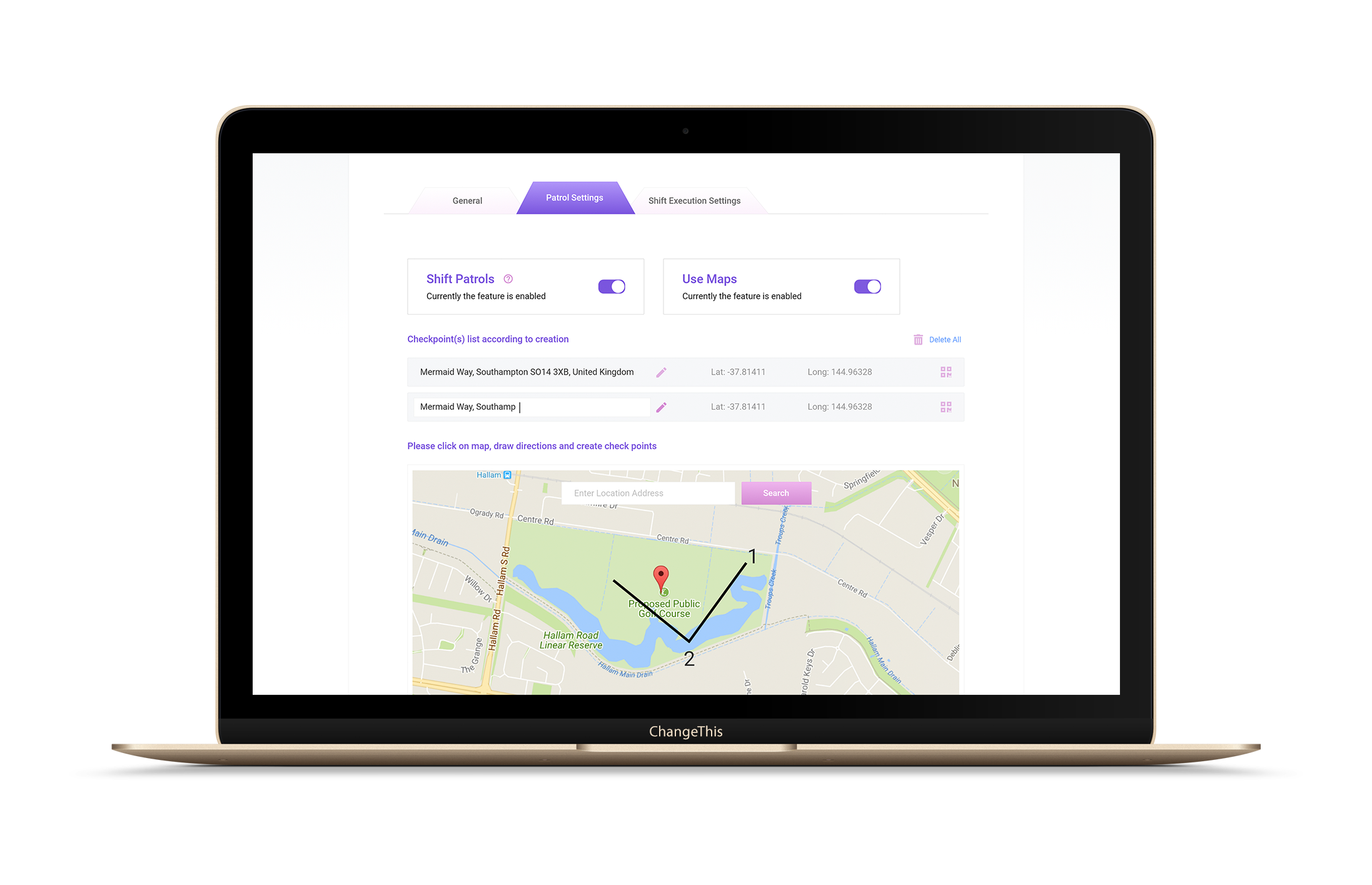
Smart Workforce route management feature enables team leads to effectively manage patrolling operations and track the real-time GPS location of their teams. Supervisors can review their employees’ performance analytics and keep connected with their patrolling teams to make smart decisions.

Patrol Route Creation
First of all, managers create a patrol route for patrolling staff with specific checkpoints and generate QR codes for each checkpoint to track their patrol history.

Checkpoint Scanning
Staff members use the mobile app to scan QR codes at designated checkpoints. The system records GPS location and the time when checkpoints were scanned.

Patrolling History Review
Finally, managers track the patrol history of each employee and use the information to evaluate staff performance and ensure they meet clients’ requirements.
Route Management
Key Features
For Managers
1. Create patrol checkpoints
2. Define patrolling routes
3. Track patrol history
4. Evaluate performance
For Employees
1. View patrol routes and checkpoints
2. Scan the QR code of each checkpoint
3. Create patrol reports
4. Stay organized
Benefits of
Automated Route Management
Improved Tracking

Staff Protection

Team Collaboration

Paperless Management

Regulatory Compliance

Simplified Reporting

Client Satisfaction